01 / ACADEMICS
Practice with purpose
Students enter realistic practice settings, apply professional skills, and receive feedback connected to learning goals.
Explore Academics →SPACES THAT HELP PEOPLE CONNECT AND LEARN
520 Immersive Environments designs interactive spaces and practice experiences for higher education. Explore how students can practice skills, meet one another, and discover a program before they enroll.
FEATURED FILM
A short introduction to what a digital space can make possible for learning, community, and discovery.
Explore the experiences ↓THREE WAYS TO EXPLORE
Each experience can stand on its own or work together across a program.
01 / ACADEMICS
Students enter realistic practice settings, apply professional skills, and receive feedback connected to learning goals.
Explore Academics →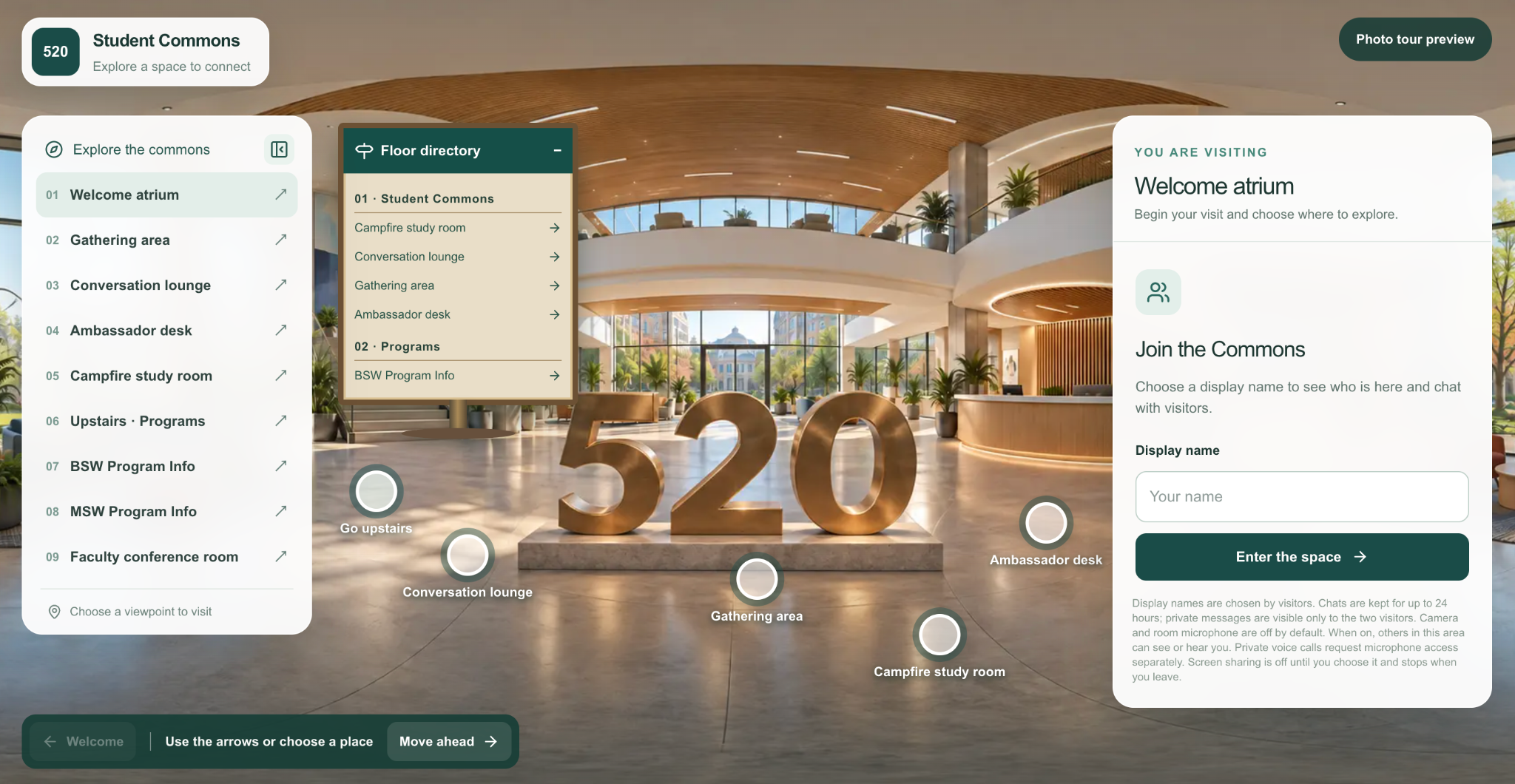
02 / STUDENT ENGAGEMENT
A Commons tailored to each university gives students a place to connect, study, and share activities.
Explore Engagement →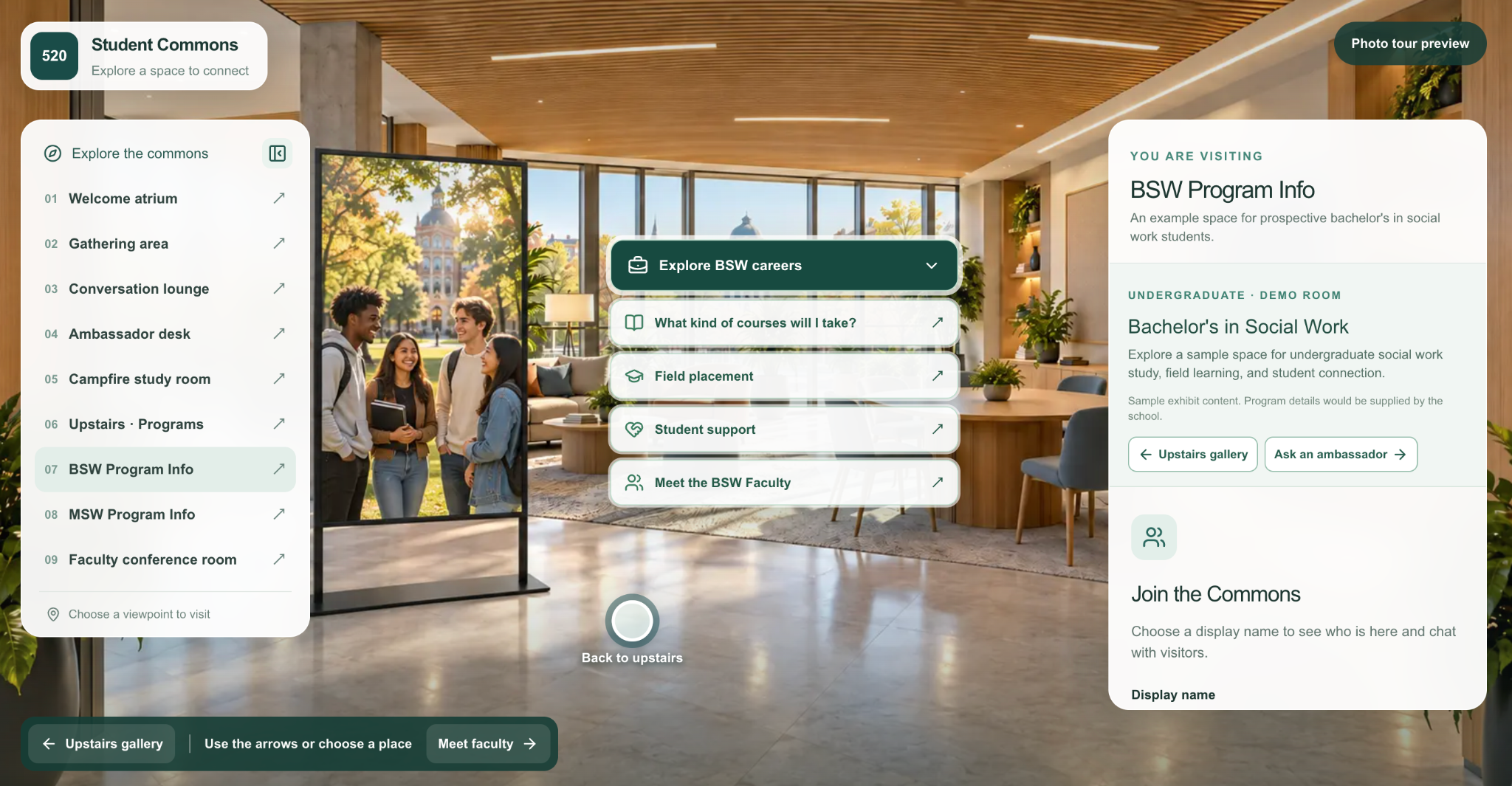
03 / RECRUITMENT
Prospective students can explore program information, career paths, faculty, and ways to connect.
Explore Recruitment →ACADEMICS / 520 PRACTICE LABS
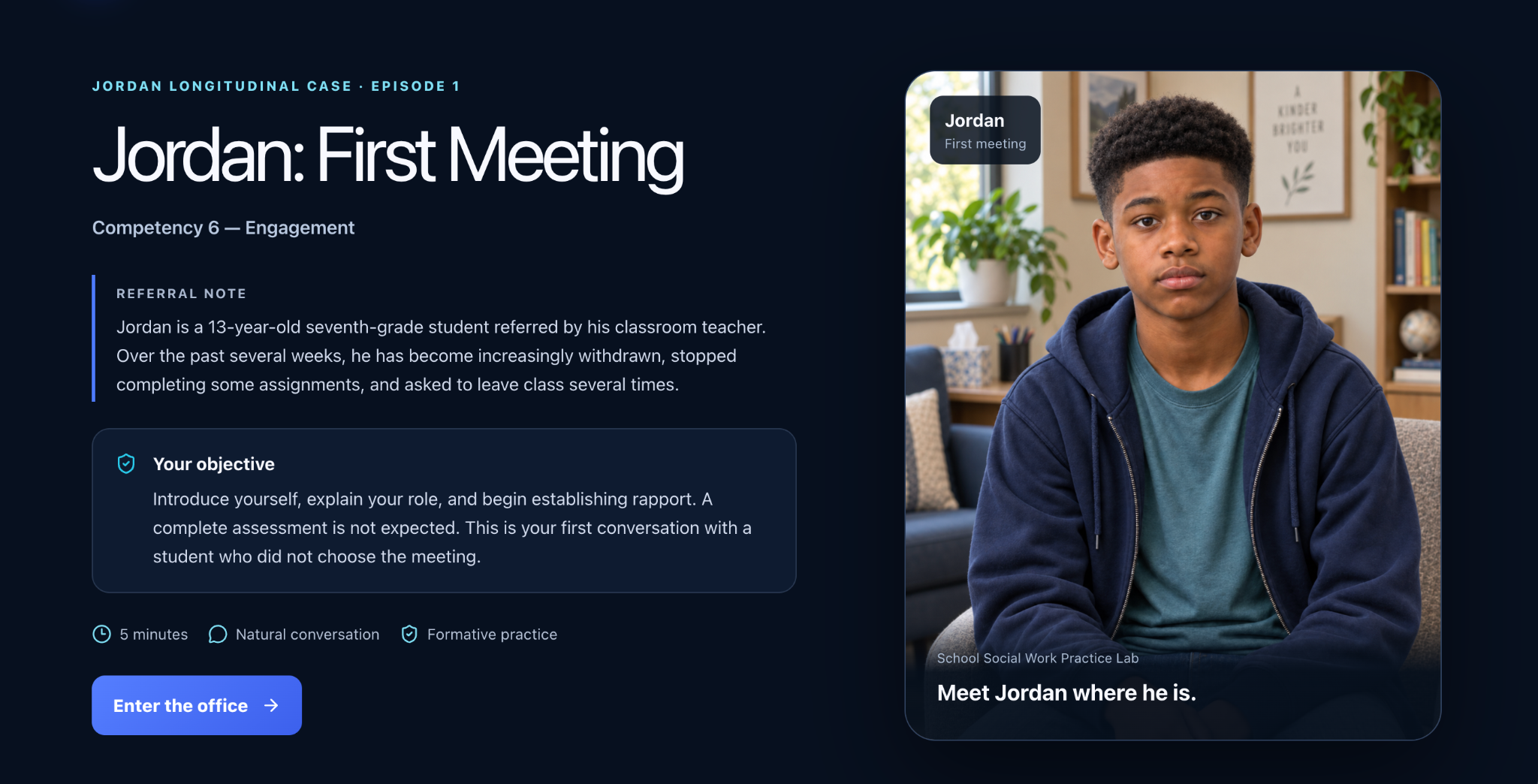
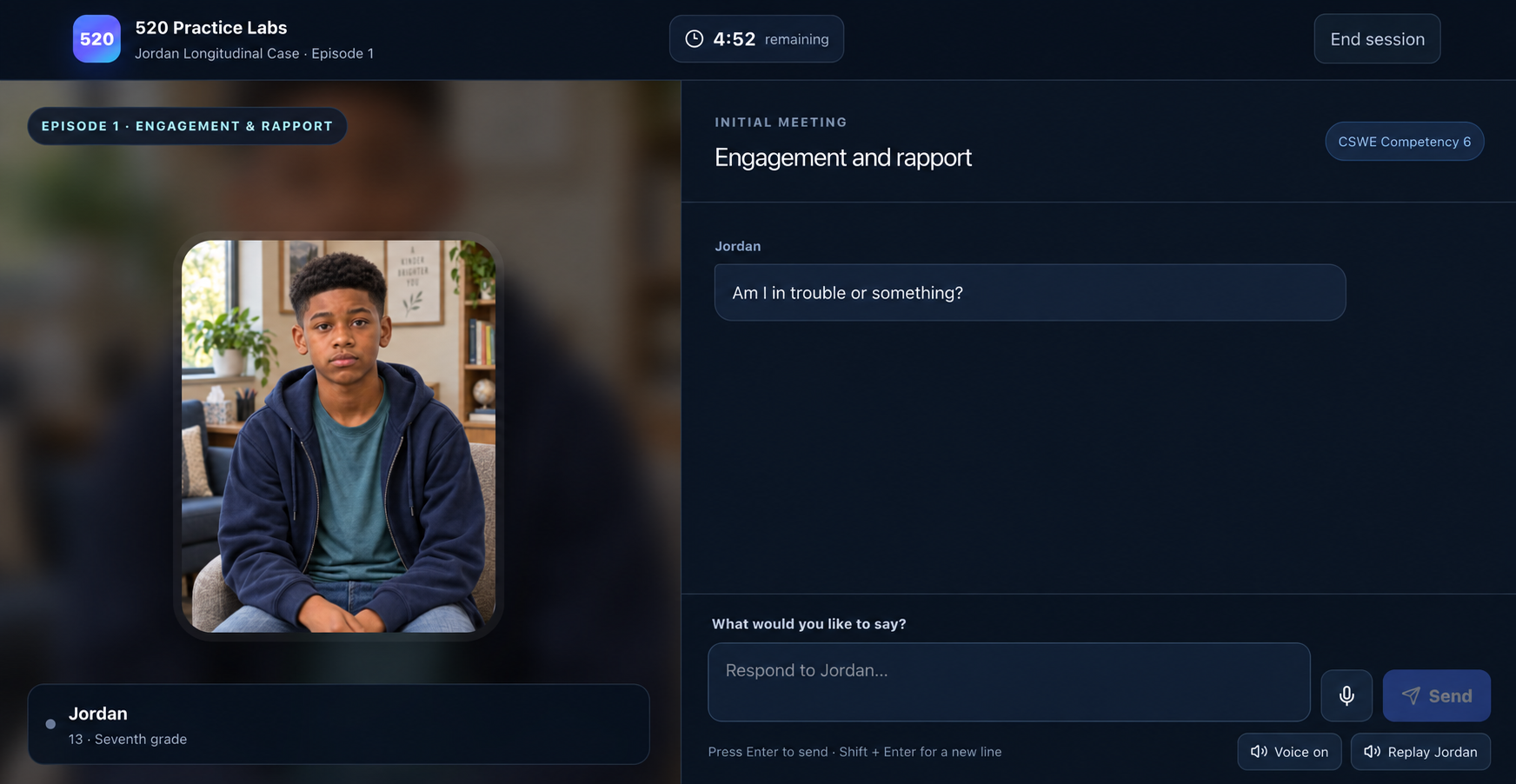
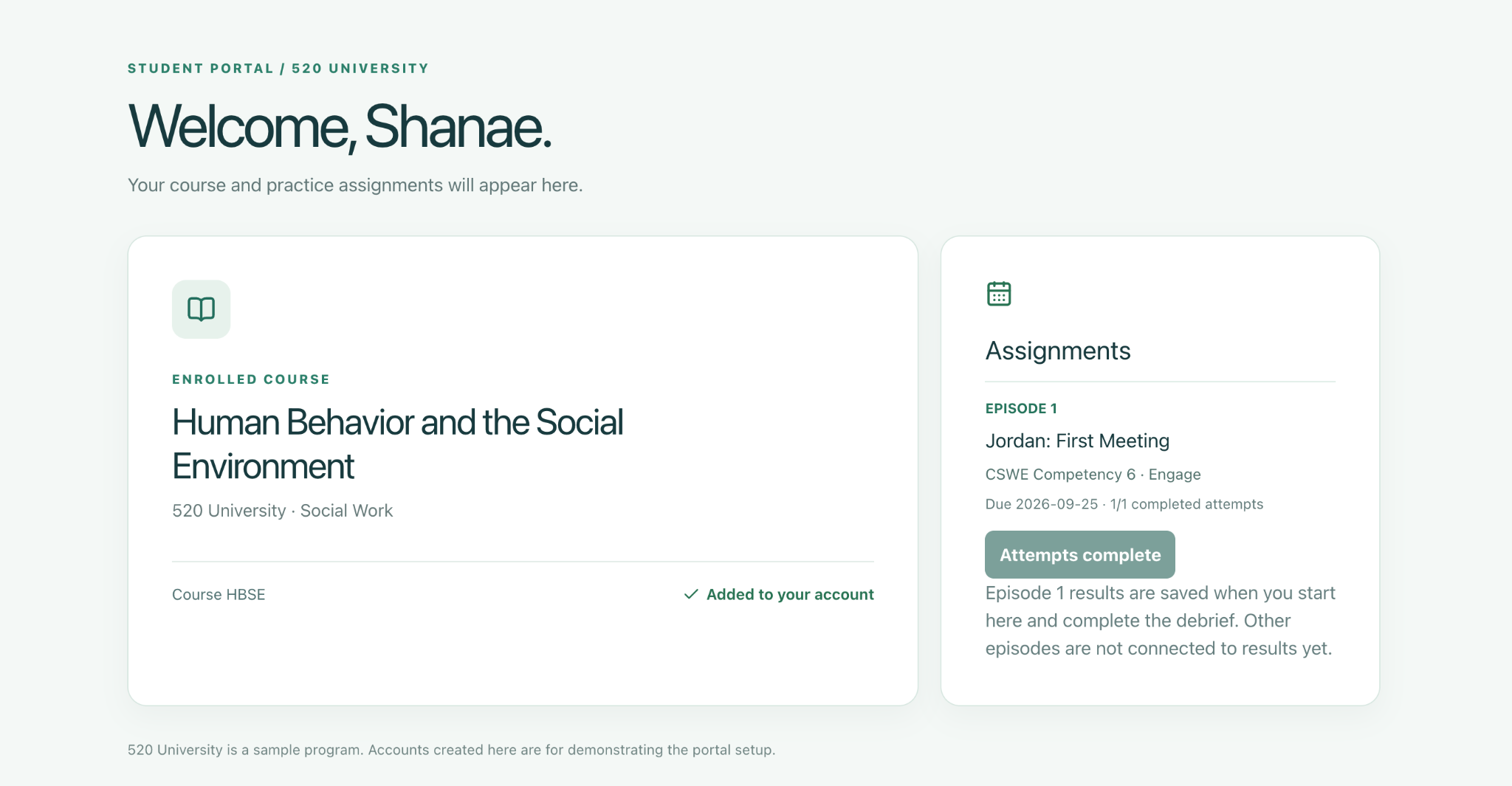
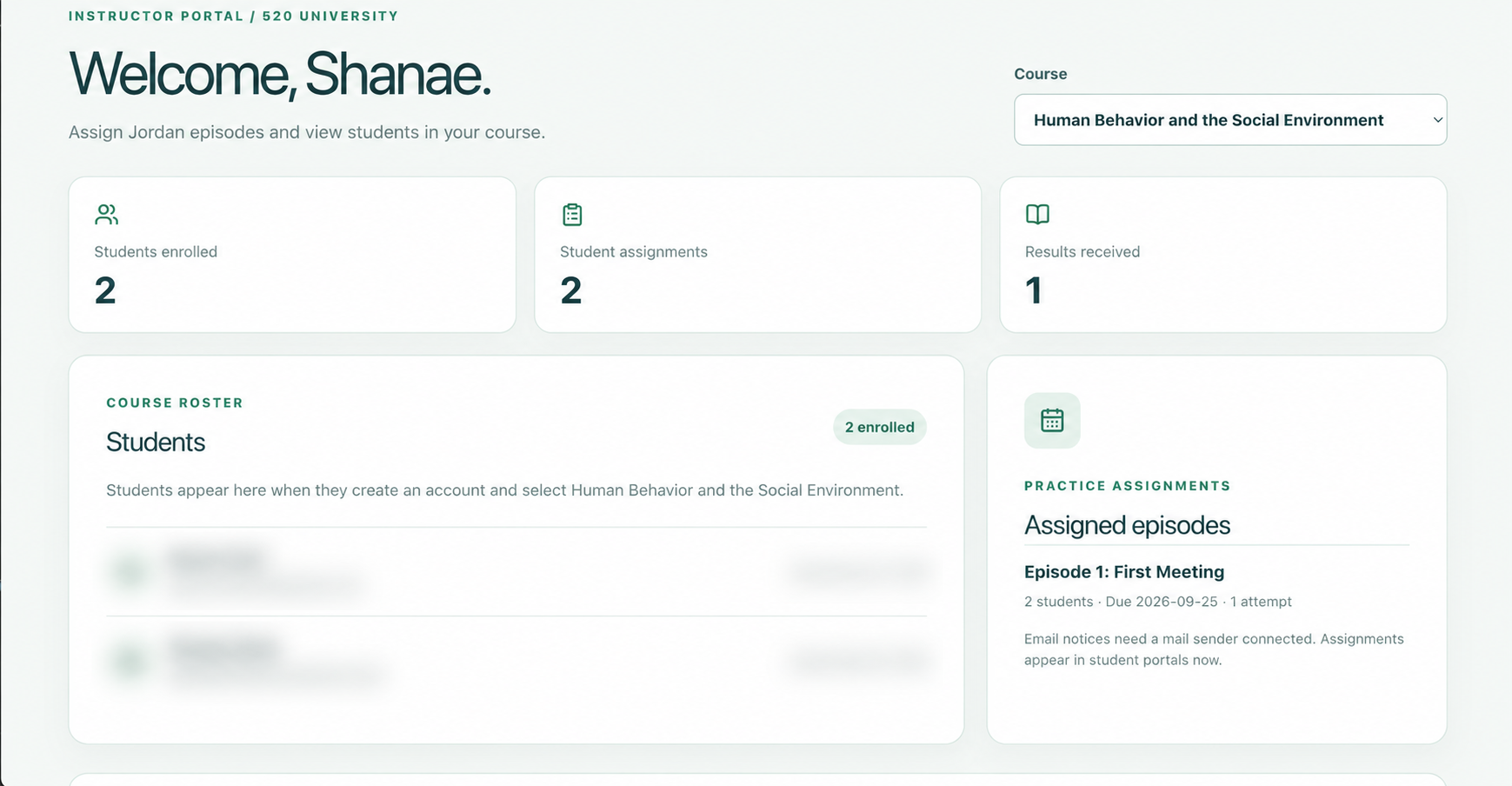
Practice Labs place students in realistic social work settings built around relevant CSWE competencies. Each setting gives learners a chance to apply classroom knowledge through a conversation, make decisions in the moment, and reflect on how they respond. The example shown focuses on Competency 6: engagement.
Interactive responses and end-of-session feedback help students see their strengths and next steps. Instructors can assign practice with due dates and attempt limits, then review results to monitor how students are applying the skills they are learning.
STUDENT ENGAGEMENT / 520 STUDENT COMMONS
Online students need places to meet one another beyond a course page. Each Commons can be personalized to reflect a university's identity, programs, and student community. Students can talk, play simple games together, and reserve study rooms for small group work in a space that feels connected to their school.
RECRUITMENT / PROGRAM DISCOVERY
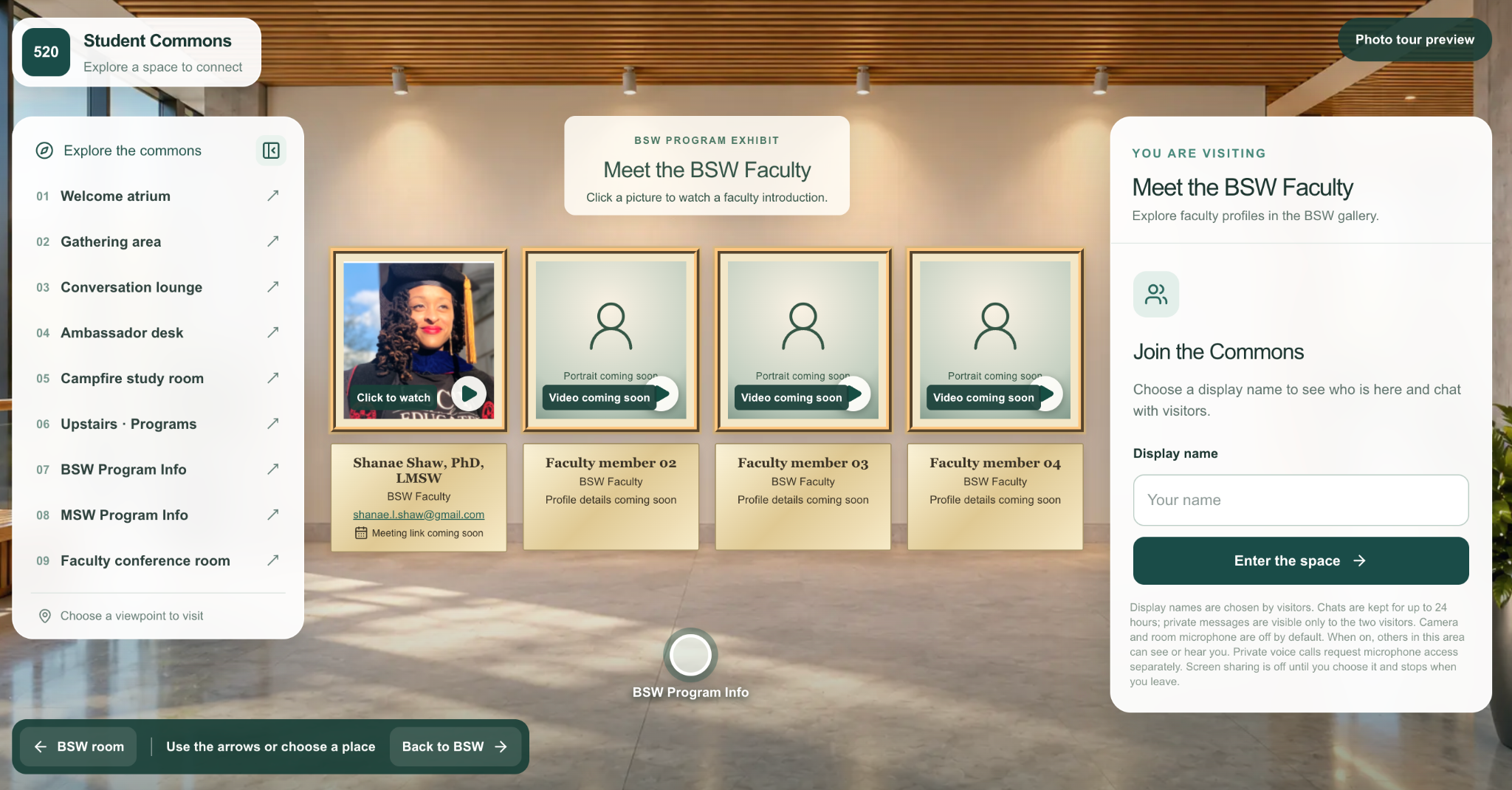
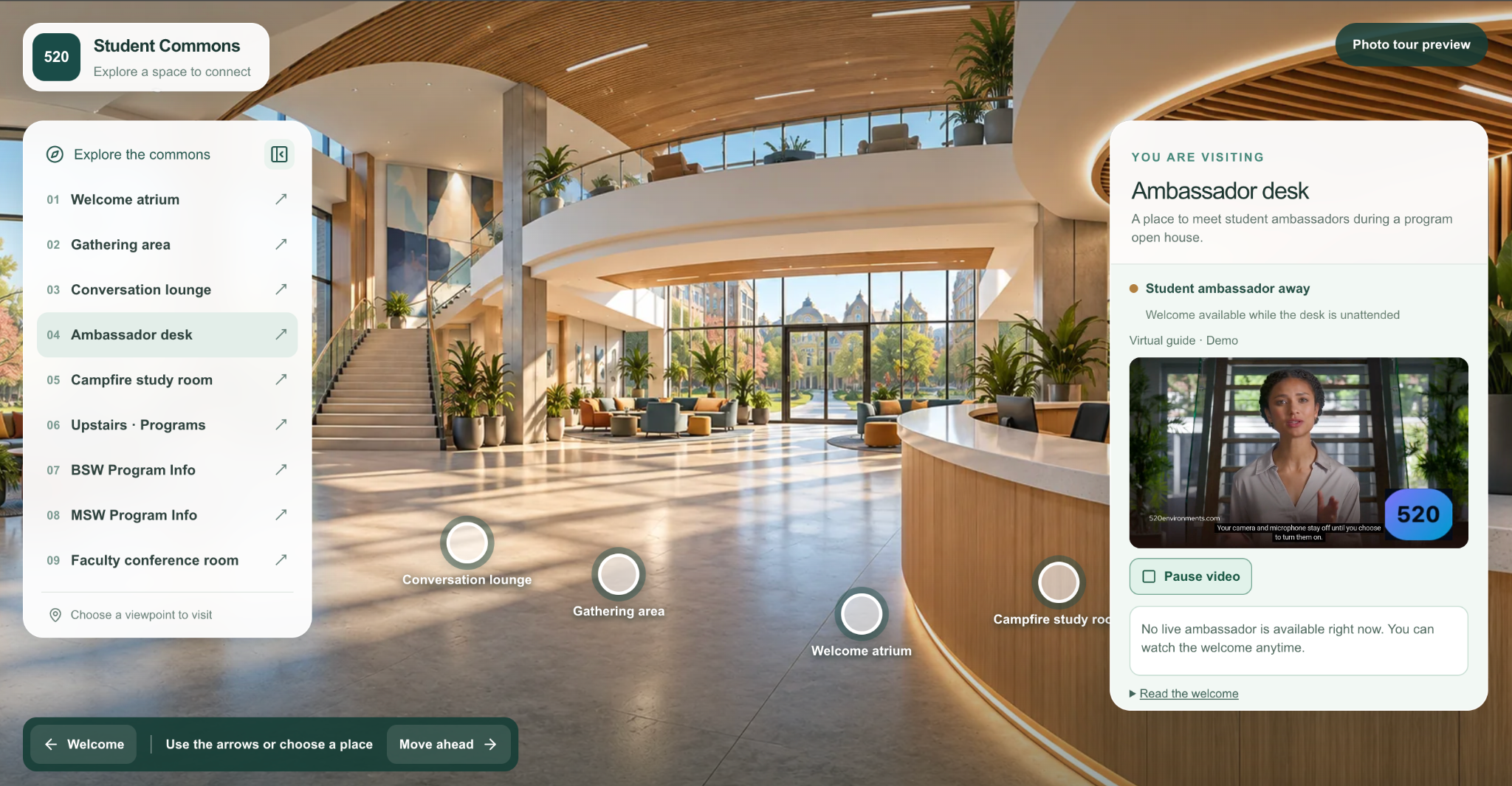
Program exhibits within the Commons give prospective students a way to explore academic options, meet faculty through introductions, and connect with student ambassadors. A recorded welcome helps visitors get oriented at the ambassador desk.
ABOUT 520
520 Immersive Environments works with education programs to turn learning goals and student needs into interactive digital experiences. From practice simulations to community spaces and program showcases, each environment is shaped around the people who will use it.
START A CONVERSATION
Tell us about your students, your goals, or the experience you would like to explore.